


Currency Converter Plus Rates
4.84.77K Reviews
App Specs
- Version
- 3.4.1
- Updated On
- License
- Free
- Downloads
- 10,000,000+
- Developer
- Digitalchemy, LLC
- Categories
- Travel & Local
- Platform
- Android, iOS
Screenshots

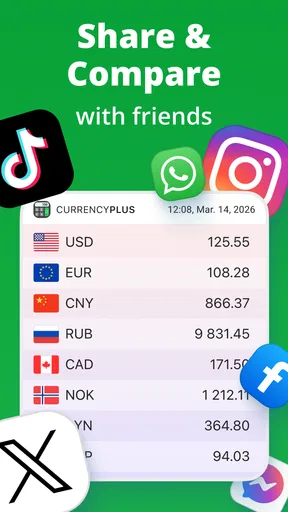
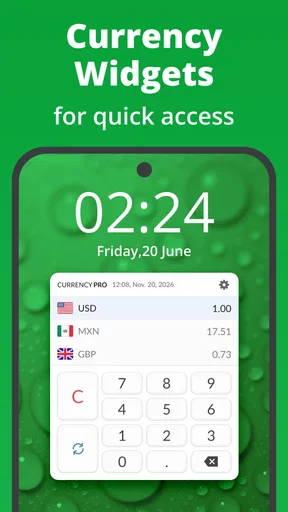
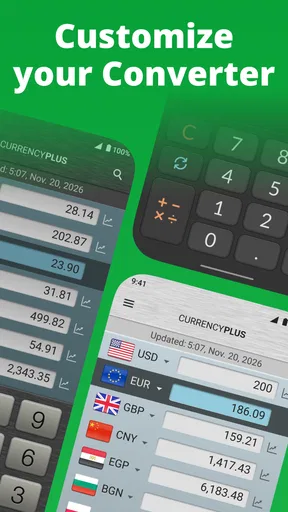
 Analysis by AppCompare
When I’m travelling, the small purchases are often the ones that make me pause: a snack at a station, a taxi fare, or a souvenir that looks cheaper than it turns out to be. I like having a quick way to translate those prices into money I recognize, and Currency Converter Plus is built for exactly that kind of everyday check. It’s a free travel and local app from Digitalchemy, LLC, with a calculator, graphs and exchange rates in one place.
Its current version is 3.1.10, and the app has been available since September 16, 2016. That history gives it the feel of an established utility rather than a one-off travel novelty, while the version number tells me only where the software stands now—not which particular features changed in each release. I wouldn’t treat that number as proof of a specific redesign or promise of future additions. What matters in daily use is whether the basic conversion workflow is easy to repeat, and the app’s blend of conversion and calculation is its most practical idea.
A handy tool for the decisions that happen mid-trip
A currency converter earns its place when it helps with a decision, not just a number. I find this kind of app most useful when I’m comparing a menu price with my budget, checking whether a market purchase is a small indulgence or a splurge, or splitting an expense across currencies. Having a calculator alongside conversion can save a few mental steps: instead of converting a single item and then multiplying in my head, I can work through the arithmetic in the same place.
There’s a useful habit to adopt before relying on any displayed exchange rate: treat the result as an estimate for planning, not necessarily the amount your card or cash exchange will cost. Banks, card networks and exchange counters can apply their own rates or fees. The app can help me understand the rough value of a purchase, but I still check the payment screen or transaction details before assuming the final charge will match it exactly.
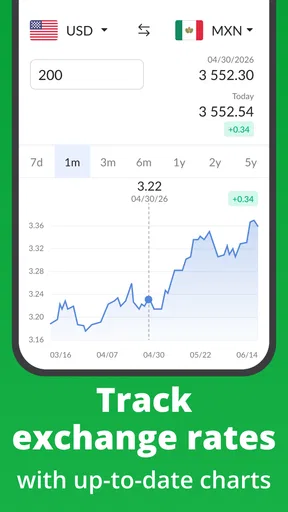
The graphs are worth considering when the decision is less immediate. If I’m planning a trip or a larger purchase, a visual view of exchange-rate movement can provide context that a single figure cannot. It won’t tell me what a rate will do next, so I wouldn’t use a chart as a guarantee or a trading signal. I’d use it to notice whether the current quote looks unusually different from the recent pattern and then decide how much that uncertainty matters to my budget.
Where it fits beside built-in converters
For a one-off conversion, a search engine or a phone’s built-in assistant may be quicker because there’s nothing to install or configure. Currency Converter Plus makes more sense when I expect to check several prices, want a calculator in the same workflow, or prefer to keep conversion tools ready while moving between destinations. It sits between a basic web lookup and a dedicated finance service: more convenient for repeated travel checks than a single search, but not a substitute for a bank’s exact payment quote or specialist financial analysis.
That distinction helps set expectations. If I only travel occasionally and need to convert one hotel price, the simplest tool already on my phone may be enough. If I routinely compare prices in different currencies, the convenience of a dedicated converter can outweigh the extra app. And if I need accounting records, formal expense reporting or guaranteed settlement amounts, I’d choose a service designed for those tasks rather than expect a travel converter to cover them.
Worth Reading Before You Choose

Switching to Android Auto Means Rethinking Your Driving Routine

Google Calendar Makes a Crowded Week Easier to Manage

Baby Panda World Brings Quick Play to Modern Phones, but Its Game Library Feels Busy

ESPN’s Live Game View Makes Following Close Games Easier

QuizzLand Review: A Good Fit for Short Trivia Breaks, Not Every Player

Basketball Stars: Multiplayer Is Fast, but Can It Recover When Matches Go Wrong?
The app is free to download, with optional in-app purchases listed from $0.99 to $21.99 per item. I’d start with the free experience and decide whether any paid option is relevant to how I use it, rather than assume a purchase is necessary for ordinary conversions. It is rated for Everyone, and its audience is broad: casual tourists, frequent travelers and people who shop across borders can all benefit from quick price comparisons.
First Impressions and Interface
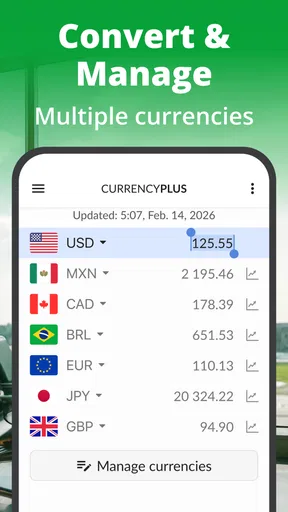
From the moment I downloaded Currency Converter Plus, I was struck by its sleek and intuitive design. The interface is clean and user-friendly, making it super easy to navigate even if you’re not exactly a tech wizard. The main screen features a simple input field where you can enter the amount you wish to convert. Below, you’ll find a list of currencies that you can choose from, and it's as simple as tapping to select.
One thing I really appreciate is the app’s use of large, legible fonts and clear icons. It’s visually appealing without being overwhelming, which is a big plus when you’re in a rush or dealing with poor lighting conditions.
Features That Stand Out
Okay, so let’s talk features. One of the standout aspects of this app is its ability to provide real-time exchange rates. This means you’re getting the most accurate conversion information whenever you need it. The app supports a wide range of currencies, and you can even convert multiple currencies at once, which is a lifesaver when you’re traveling through different countries.
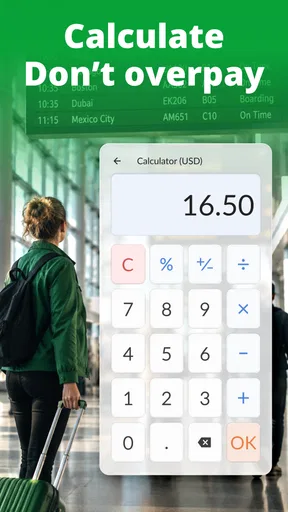
Another cool feature is the built-in calculator. This isn’t just a basic calculator, but one that seamlessly integrates with the currency converter. You can perform calculations and see the converted values instantly. It’s perfect for those moments when you’re trying to budget your expenses on the go.
Usability and Performance
In terms of usability, Currency Converter Plus is top-notch. The app runs smoothly without any noticeable lag, making it reliable for those quick conversions. I’ve used it in various locations with different internet speeds, and it’s held up well every time. Plus, it has an offline mode, meaning you can still access the last updated rates even without an internet connection. Handy, right?
Something else worth mentioning is the app’s lightweight design. It doesn’t hog your phone’s resources or battery life, which is a big deal for those of us who are always on the move and need our devices to last the whole day.
Customization and Extras
If you’re someone who loves a bit of customization, you’ll enjoy the ability to set favorite currencies for quick access. This way, you don’t have to scroll through a long list each time you want to convert. You can also set notifications for rate changes, which is perfect if you’re waiting for the right time to make a big purchase or transfer funds.
And let’s not forget about the dark mode option. For those late-night conversions or just to save on battery, the dark mode is a nice touch that makes using the app more comfortable on the eyes.
Final Thoughts
Overall, Currency Converter Plus has proven to be an indispensable tool in my app arsenal. Its combination of real-time rates, offline access, and user-friendly interface makes it a standout application for anyone dealing with multiple currencies. Whether you’re a frequent traveler, a business professional, or just someone who loves shopping online internationally, this app is a must-have.
So, if you're looking for a reliable and efficient currency converter, give it a whirl. It’s like having a personal finance assistant right in your pocket, ready to assist you wherever you go.
Small routines that make the numbers more useful
For a practical travel routine, I’d keep the currencies I use most close at hand and enter a familiar amount before heading out. Seeing what a commonly priced item costs in my home currency gives me a quick mental reference for the day. When a bill arrives, I can use the calculator to work out my share or compare a few items without switching between separate apps. This is especially useful when a group is ordering together and the total is in a currency nobody at the table uses every day.
There’s also a sensible way to use the offline capability: check the rates while connected before leaving a hotel or other reliable connection, then regard the saved result as a guide if access drops. An older rate can still help me distinguish a modest purchase from an expensive one, but it becomes less dependable as time passes or markets move. For a large transaction, I’d reconnect and check again rather than make a decision based on a cached figure.
Favorites can reduce friction more than they first appear to. Instead of repeatedly searching a long currency list, I can make the currencies relevant to a particular trip easier to reach. I’d keep that selection focused: a short set for the places I’m visiting is easier to scan than a crowded collection of currencies I rarely use. If I travel between regions, adjusting favorites for the current itinerary should make quick checks clearer.
What to expect from rates and alerts
“Real-time” is useful shorthand for a rate that can be refreshed, but I still wouldn’t confuse an app’s conversion with a guaranteed cash-out amount. The exchange rate offered by a card issuer, bank or exchange desk may differ, and a merchant may present its own conversion at checkout. When given a choice, I compare the displayed totals and pay attention to which currency is actually being charged. The converter helps me judge the scale of the difference; the payment provider determines the final transaction.
Rate-change notifications may suit someone watching a planned transfer or purchase, but they can be unnecessary noise for a short holiday. I’d enable them only when I have a specific rate movement worth monitoring, then turn them off when that decision is over. A notification can flag a change; it can’t tell me whether waiting is wise, and a favorable movement in a chart does not ensure the next one will be favorable too.
The same caution applies to graphs: they’re most useful as context, not prediction. I’d look at them before making a flexible, non-urgent decision, while accepting that a traveler paying for lunch needs a quick estimate more than a historical reading. That difference is why I see the graph as an extra for planning rather than the central reason to install the app.
Who will get the most from it
I’d recommend it to someone who checks multiple prices on trips, wants mental arithmetic handled alongside conversion, or regularly buys from shops that show totals in another currency. It can also help people coordinating shared travel costs: convert the bill, calculate each person’s portion, and use the result as a common estimate before settling up. The convenience is in keeping those steps together, not in replacing a proper record of who paid what.
I’d skip it if my needs were limited to a rare, single lookup and I was happy using a browser, or if I needed official exchange settlement, bookkeeping or detailed expense management. It is also not the right basis for investment decisions. A converter can make a figure easier to understand, but that is different from advising me what to buy, when to exchange money or how to account for a transaction.
Digitalchemy, LLC has built an app with a straightforward travel purpose, and its 4.8 average from around 227,000 ratings, alongside more than 10 million installs, suggests that many people find this sort of utility useful. Those figures are reassuring signs of adoption, but I’d still judge the app by my own needs: repeated conversions and quick calculations justify a dedicated tool; occasional curiosity may not.
A measured recommendation
My overall view is positive, with one important boundary: use it to make foreign prices understandable, not to assume every provider will charge the same converted amount. The combination of a calculator, graphs and currency conversion gives it more range than a bare lookup, while favorites and offline access can make it more convenient on the move. Those strengths matter most when I’m making several small decisions during a trip rather than checking one figure and closing the app.
Currency Converter Plus feels most worthwhile when I build it into a simple routine: keep the relevant currencies handy, refresh rates before going offline, use the calculator for totals, and verify the final charge with the payment provider when the amount matters. That approach takes advantage of what the app does well without asking it to do a bank’s job. If that matches the way you travel or shop, I think it’s a practical companion; if you need only an occasional lookup, your phone’s built-in search may be all you need.
Pros
- User-friendly interface for quick conversions
- Supports a wide range of global currencies
- Offline mode available for travel convenience
- Real-time exchange rate updates
- Customizable favorites for frequently used currencies
Cons
- Contains ads that might disrupt user experience
- Premium features require a subscription
- Occasional bugs with currency updates
- Limited support for less common currencies
- High battery usage during prolonged use
FAQs for Currency Converter Plus Rates
What features does Currency Converter Plus offer?
Currency Converter Plus provides real-time exchange rates for over 150 currencies, historical charts, and a built-in calculator for quick conversions. It also includes a favorites list for frequently used currencies and offline mode capabilities, ensuring you can access essential information without an internet connection.
Is Currency Converter Plus accurate and up-to-date?
Yes, Currency Converter Plus is designed to provide accurate and up-to-date exchange rates by sourcing data from trusted financial institutions. It updates rates every few minutes when connected to the internet, ensuring that users have access to the latest currency values for their conversions.
Can I use Currency Converter Plus offline?
Currency Converter Plus offers an offline mode, which allows users to access previously fetched exchange rates without an internet connection. While offline, the app uses the last updated rates, so it is advisable to refresh and update the data when back online for the most accurate conversions.
Does Currency Converter Plus include a subscription or in-app purchases?
Currency Converter Plus is generally free to download, but it may offer in-app purchases to unlock premium features like ad removal, additional themes, or advanced functionalities. Users can enjoy the basic features at no cost, while optional upgrades enhance the app experience.
Is Currency Converter Plus user-friendly for beginners?
Currency Converter Plus is designed with a user-friendly interface, making it accessible for beginners. The app features easy navigation, clear instructions, and a simple layout, allowing users to perform conversions with minimal hassle. Its intuitive design ensures that even those new to currency conversion can use it effectively.


